Your project knowledge base. In your pocket.
The AskThePlans iOS app is a full construction intelligence tool — voice queries, source-backed answers, multiple AI agent perspectives, conversation history, team reactions, and document viewing. Built for the job site and the site office alike.
Free to download. Requires an AskThePlans account — A$20 introductory credit per organisation, no credit card.
Voice query
What's the beam size for the garage opening?
Answer
The garage opening uses a 310UB40.4 at 4.5m span. Refer structural drawing S-03, detail 7A.
Source: S-03 · Page 8
Tap to open document
Suggested follow-ups
What connection detail is used at the post?
Is this beam fire-rated?
3
Team marked as helpful
Ask, and it reads the answer back.
Hands full, gloves on, up a ladder. The whole exchange without touching the screen.
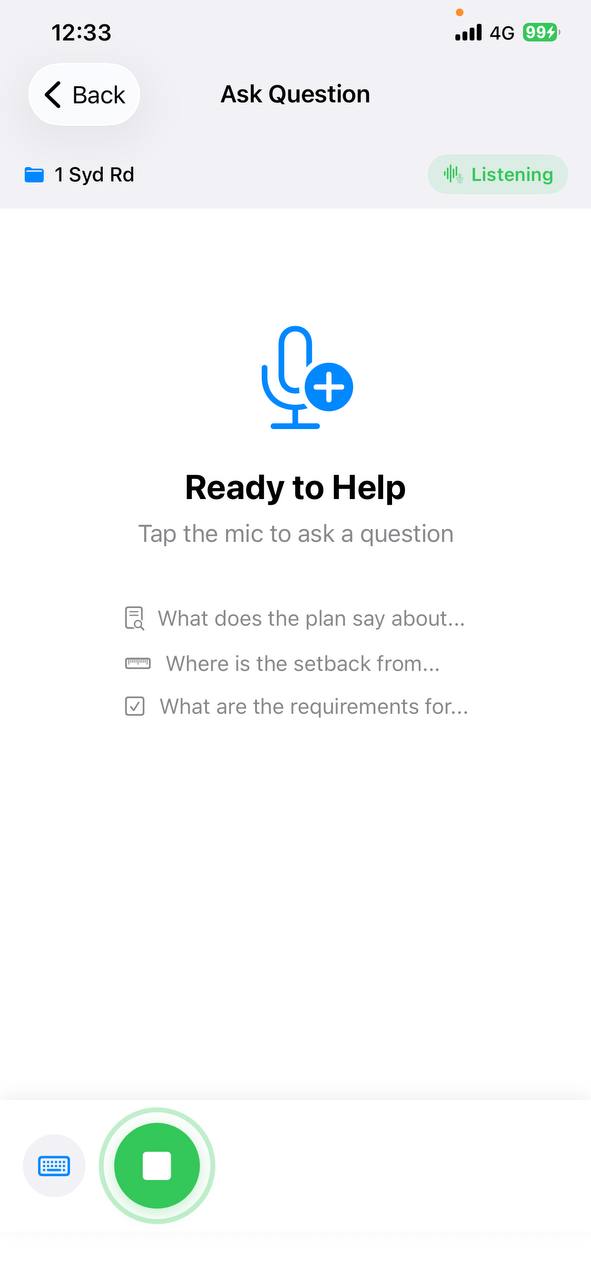
Step 1 · You ask Say the question out loud — no typing, no unlocking.
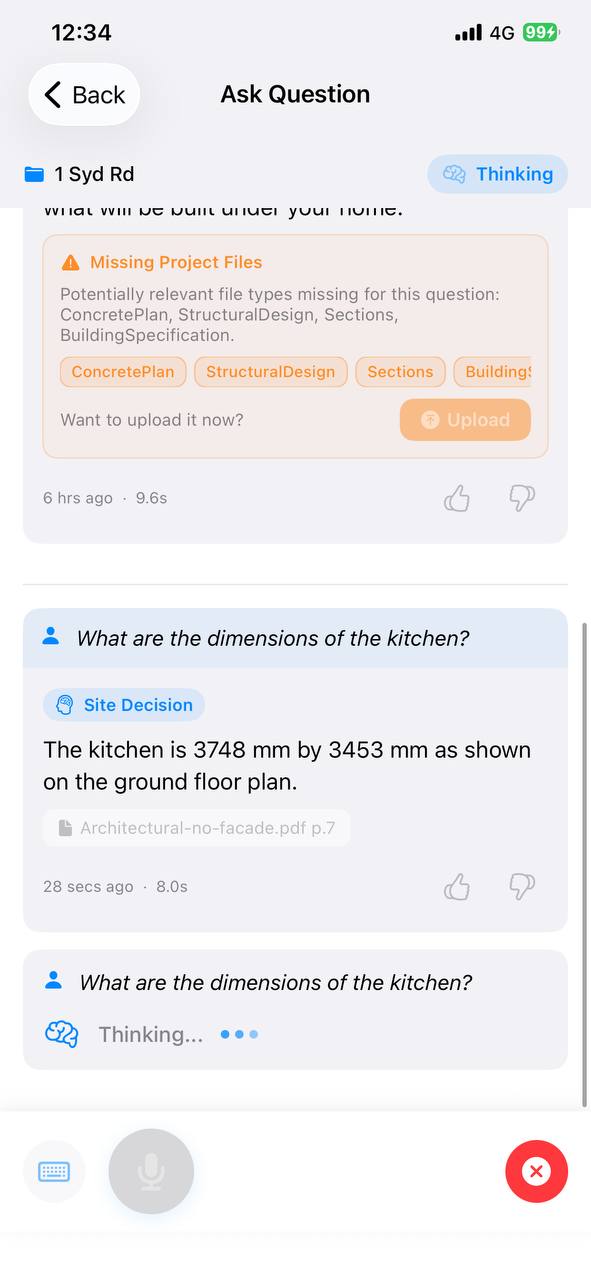
Step 2 · It reads the job Searches your plans, specs and approvals for the answer.
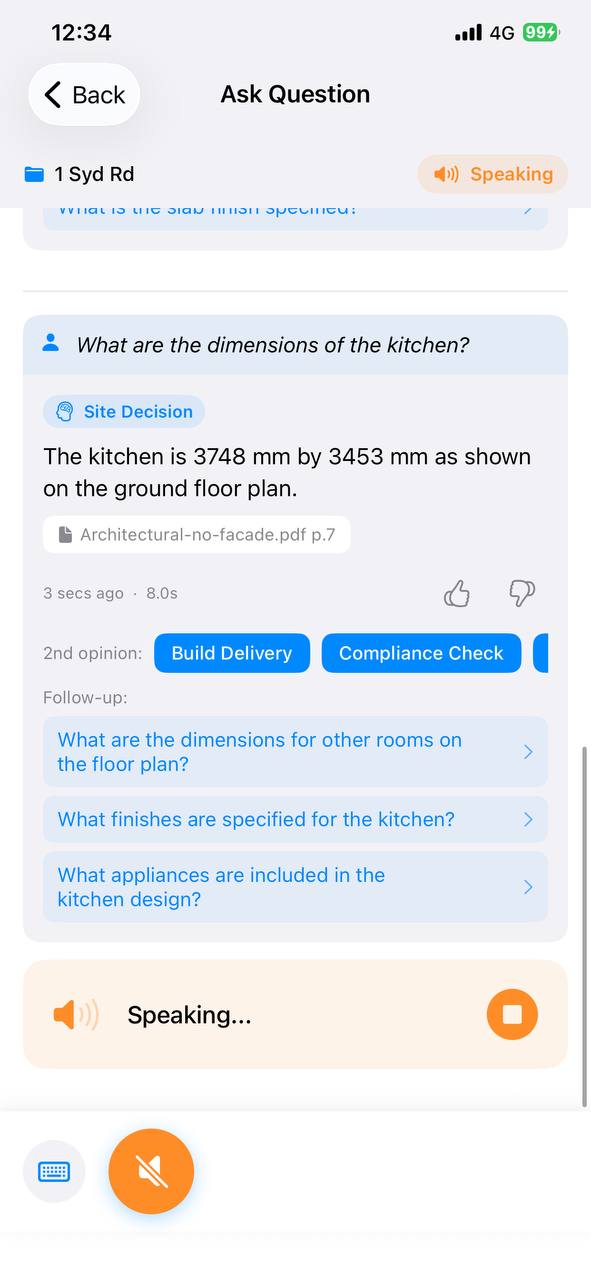
Step 3 · It answers back Spoken aloud, with the source it came from on screen.
Voice & Siri
Ask out loud. Hear the answer. Done.
The app has a full in-app voice mode — tap the microphone, speak your question, and the answer is read back aloud. Silence detection ends your recording automatically. For completely hands-free use, Siri Shortcuts let you ask without even opening the app. Two modes, one goal: answers without stopping work.
In-app voice
Tap mic → speak → hear answer read back
Via Siri
"Hey Siri, ask my plans what's the footing depth here?"
Source Citations
See exactly where every answer came from.
AskThePlans doesn't just give you an answer — it shows which document, file name, and page number the answer was sourced from. Tap any citation to open the referenced page directly in the app using the built-in document viewer. No more "I think it was in the structural drawings somewhere".
Example citation
Structural Drawing S-04 — Detail 3, Page 12
Tap to open
PDF opens inline at the referenced page
Multiple AI Agents
Not sure? Ask a second agent for another opinion.
The same question means different things to different trades. Ask it again as a different agent — the Certifier answers with the clause and the evidence, the Builder with the time and cost impact, the Tradie with the one number you need on site — and compare the answers. When one perspective isn't enough, you get another without re-typing anything.
Agent types
Architect · Builder · Certifier · Client · Tradie
Second opinion
Tap to ask the same question to a different agent
Conversation History
Everything you've asked, organized by project.
Every question and answer is saved in a thread within your project. Pull up conversation history to review what was checked last week, share context with a colleague, or pick up where you left off mid-job. Nothing gets lost.
Threaded
Multi-turn conversations grouped by topic
Persistent
Survives app restarts and device switches
Also in the app
It suggests what to ask next
Related follow-ups appear under each answer, so one question leads to the next without you framing it.
Your team marks what was useful
Thumbs up or down on any answer. The ones that helped are visible to everyone on the project.
Switch projects without logging out
Every project you're on is in the same app, one tap apart.
Logging out actually logs you out
Credentials live in the iOS Keychain and the session ends with it — it matters when the phone is on a site, not a desk.
No app required to start
Try it before you install anything.
Send a building question to our WhatsApp and see the kind of answer you get back — free, no account, nothing to download. Install the app when you want it hands-free on site.
Download the app today
Free to download. Pair it with your AskThePlans account and get full access to every feature.
Not on iOS? Use the web app from any device.